


Risk & Compliance – Gaia

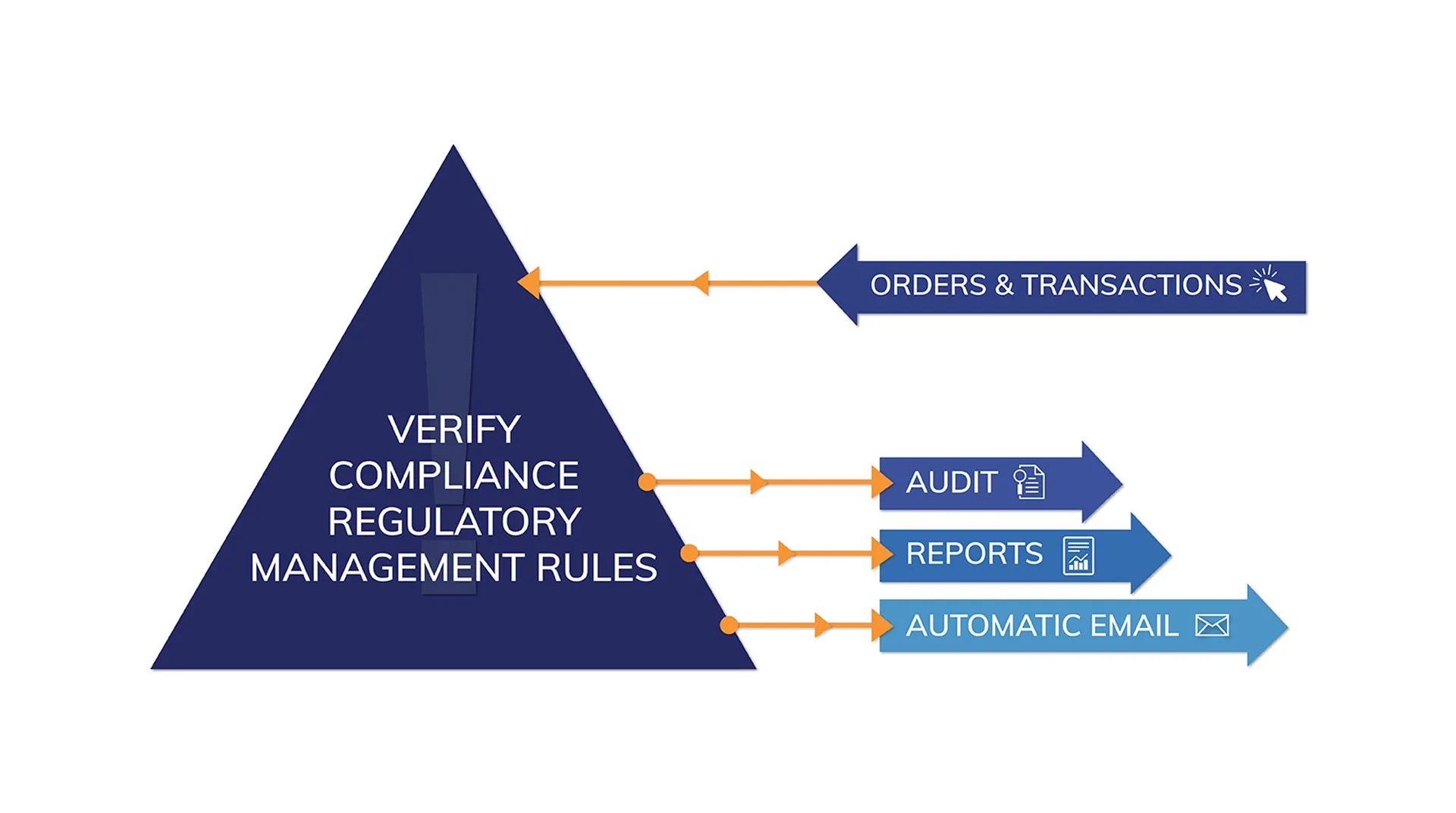
The Risk and Compliance module is designed to define, apply and check ex-ante and ex-post legal and custom constraints on transactions and stock. The Risk and Compliance module workflow is entirely customizable to match the client's internal processes. Users can also define blackout periods and create client restriction lists. A batchable process calculates all ex-post constraints on a defined frequency, and the results can be analyzed via a specific screen.
 

Features

Among the main features of the Risk & Compliance module:
Define custom and complex constraints, by portfolio and group of portfolios
Choose and set up legal constraints that apply
Constraints are applied on transactions and/or position
Define constraints calculation base (market value, asset value, with or without coupons, etc.)
Check constraints ex-ante and ex-post
Set up the constraints module workflow to match your team’s processes
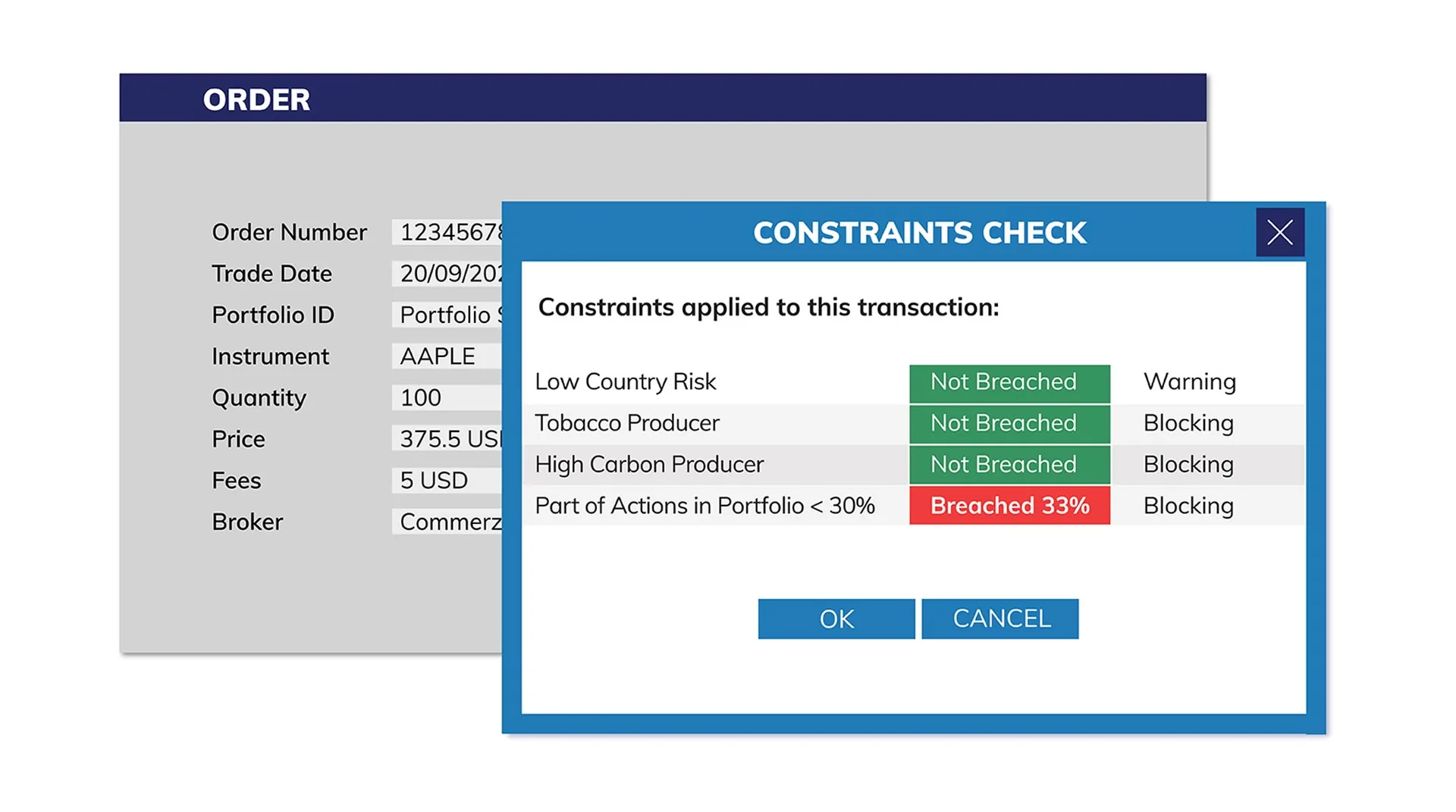
Require a password confirmation to validate transactions that breach some constraints
Automatically send emails if constraints are breached
Define blackout periods on selected issuers
Create restriction lists by portfolio/client
Gaia fluently fits into your workflow and sets the right safeguards.

Get more details about

  • Regulatory Constraints
    Gaia allows the compliance and internal control officer to set multiple constraints on one portfolio or a set of portfolios and generate a status report of the breaches that have occurred. These constraints are based on a vast regulatory library that is regularly updated according to the new regulations in place (UCITS and the 5/10/40 rule, AIFM, Solvency II, EMIR, French Insurance Code, CMA and BDL market rules…) and proposed to the compliance and internal control officer.
  • Internal Constraints
    Gaia gives the necessary tools to the compliance and internal control officer so that he or she can configure his or her own constraints in a very simple fashion. The manager chooses his criteria (counterparties, instruments, issuer/group, currency, rating…) and his thresholds. Then he or she applies these rules to the selected environment according to the activities and the objectives of the portfolio management firm.
  • Constraints on operations and positions
    The constraints defined in Gaia can use transaction characteristics as criteria but also use the constitution of a position, whether this position is current or historical, and whether it is calculated or stored.
  • Pre-trade and Post-trade
    The compliance module in Gaia can not only provide a post-trade status report of the threshold breaches, it can also generate pre-trade alerts, blocking or non-blocking, when a simulation, an order or an operation is created.
  • Breach follow-up
    The compliance module in Gaia allows the authority in charge to validate a breach, via a password if necessary, while at the same time informing the compliance officer and the people involved via Gaia’s messaging service. The compliance module in Gaia also allows the compliance officer to generate reports explaining the nature and the cause of the breach.
  • Risk indices
    Gaia provides the risk analyst with many risk indicators. Here are a few examples of the risk indicators available in Gaia:

    The Downside risk, which provides a synthetic measurement of the frequency and of the intensity where an investment generated performances below a predefined rate of return threshold.
    The Gaussian Value at Risk, which measures the maximum loss of an asset with a predefined degree of confidence.
    The Cornish Fisher Value at Risk, similar to the Gaussian Value at Risk, it compensates for the skewness and the kurtosis of the return distribution.
    The Renta ratio, which represents a percentage of maximal loss of an asset relative to the total value of the portfolio.
    Other indicators are available: such as the greeks (delta, gamma, theta, vega, rho…), the durations, sensitivities, convexities and volatilities, the SCR, the synthetic and global risks.
  • Counterparty Limits
    Gaia can check in real time the exposure on entities for one portfolio or a group of portfolios according to the maturity and seniority of the financial instruments attached to each of these entities, withheld in the portfolio.
  • Liquidity Risk
    The present and future liquidity of a portfolio can be followed, for each currency, in the cash flow schedule. Creating a simulation, an order or a transaction will generate an alert if the liquidity is insufficient or below a predefined threshold.
  • Audit
    Gaia provides a comprehensive audit of the database allowing you to follow every single bit of inserted, modified or deleted data. This audit is entirely configurable and its results can be stored on a side database for increased security.

More features

Risk & Compliance

  • Every channel
  • Block or approval
  • 5/10/40 rule
  • Sharia screening
  • Operational checks

Permissions, four-eyes and audit trail

  • Permissions by screen
  • Four-eyes
  • Logged overrides
  • Full audit trail
  • Masked data
See more features

Risk & Compliance

  • Every channel is checked: the manager's screen, single and block orders, transactions, simulations and the client portal.
  • On a breach: a simple warning, a password, a block, or approval by a second person with a mandatory comment.
  • Compliance officer screen to approve or reject pending transactions.
  • 5/10/40 diversification rule for UCITS-type funds.
  • Operational checks: available cash, available quantity, short selling, currency needs.
  • Sharia screening based on a list of compliant securities.
  • Regulatory constraints are maintained by Omega Financial Solutions; you only set your limits.

Permissions, four-eyes and audit trail

  • Fine-grained permissions: by screen, portfolio, branch and approval step.
  • Four-eyes principle on entry, approval and sensitive changes, including the creation of a user.
  • Approval steps for orders and transactions defined by you.
  • Amount limits per user and per instrument type; above them, an override password, logged.
  • Optional separation between discretionary management and fund management.
  • Full audit trail: screens viewed, actions, exports, e-mails and logins, including failures.
  • Client data protection: names masked according to user permissions.

Frequently asked questions

Are checks made before or after the trade?

Both: before, when each order or simulation is entered, and after, through a regular automatic calculation on positions.

Can a transaction that breaks a rule be blocked?

Yes. Depending on the rule, Gaia warns, asks for a password, blocks the transaction or sends it for approval.

Can we create our own rules?

Yes, in addition to the regulatory library: by issuer, currency, rating, instrument or counterparty, with your own thresholds.

5 rue Lincoln
75008, Paris
+33 1 88 88 47 47
The Esplanade
12371, Riyadh

Request a demo of Gaia

Tell us briefly who you are: we will get back to you to arrange a demonstration of Gaia tailored to your business.